Schedule a Ticket
Last updated: November 11, 2025
Overview
nodaFi allows you to schedule tickets for regular maintenance. Choose a start date and set how often the ticket should reappear, such as inspecting a generator on the 1st of every month.
Scheduling is especially useful with procedures, making preventative maintenance easier. For more information on procedures, see the article Understanding Procedures.
In this article, we’ll go over how to set a schedule for a ticket.
Set a Schedule for a Recurring Task
You can update a ticket with a new schedule or add a schedule when creating a ticket if the task is re-occurring. In both cases, scroll to and click the Due date and schedule field.

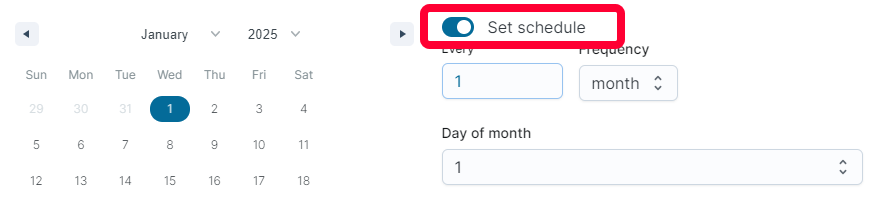
Toggle the Set schedule switch to the right.
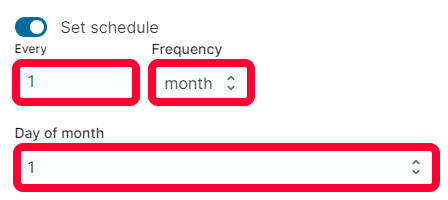
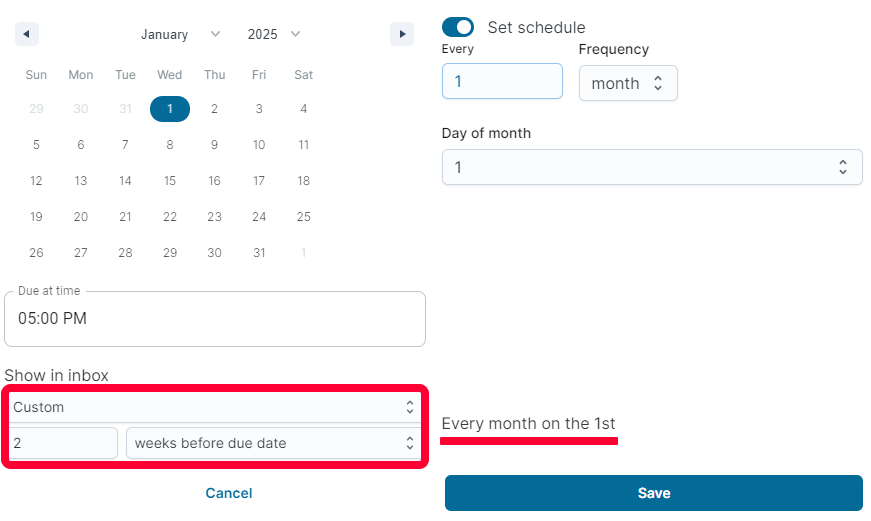
Choose the Frequency you would like the ticket to repeat. Enter the multiplier in the Every field. Depending on your selection, you’ll be prompted to select the start of the schedule. In the example below, the ticket will repeat every month on the 1st of the month.
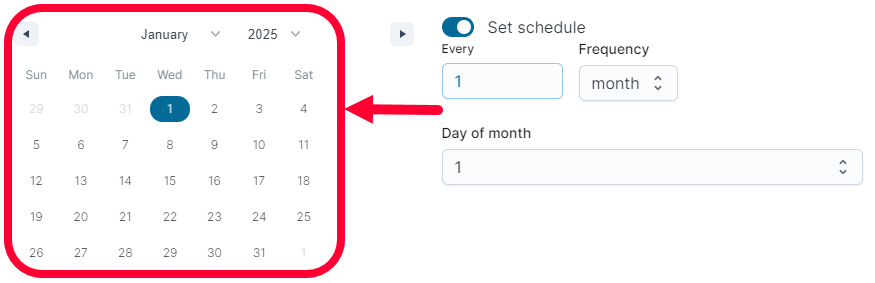
Use the calendar to select when the schedule will start. In the example below, the ticket schedule will start on January 1st 2025.
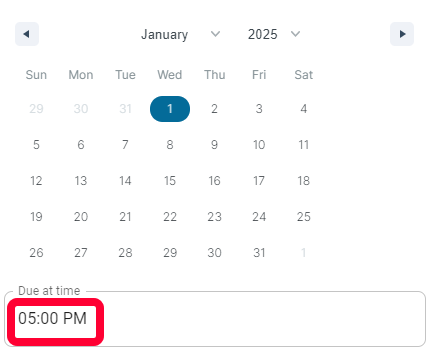
Select the Due at time for the ticket.
Use the Show in inbox section to determine when the ticket will populate in your ticket table. In the example below, the ticket will populate at a custom time, 2 weeks before the scheduled due dates.
Once the ticket is created, it will always show in the All and calendar views.
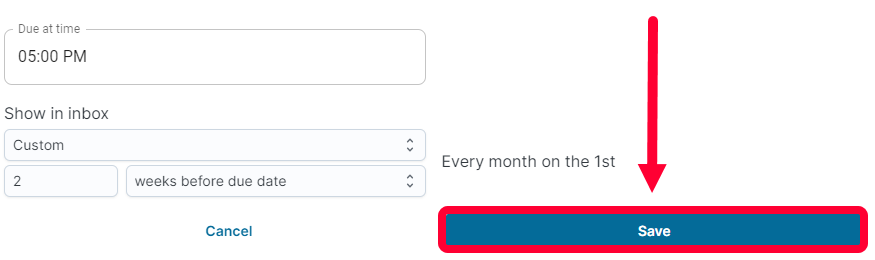
When you’re done, click Save to set up the schedule.
View a quick clickable tutorial on how to set up schedules on recurring tickets here: