Understanding Time and Cost Tracking
Last updated: October 14, 2025
Overview
When you set up users in NodaFi, you have the option of setting a Default Hourly Rate. Only admins can adjust this rate.
When users log time on a ticket, the rate will automatically be multiplied by their logged time. You can see a record of tracked time and their rate in a ticket.
You can also add the cost of parts and other one-off expenses to a ticket.
Viewing Costs for a Ticket
To view the costs for a ticket, click the Total field under Time and cost tracking.

A new window will open with a breakdown of all the costs associated with the ticket so far. You can add new costs if needed.
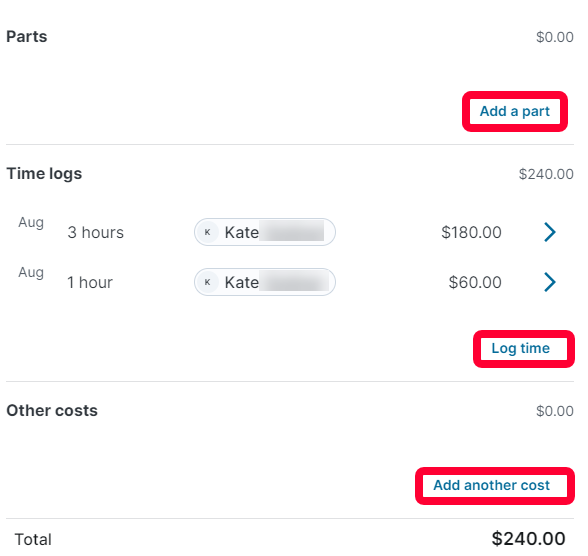
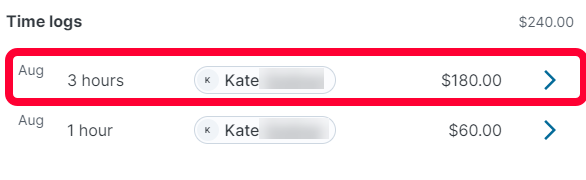
To edit a cost, or see more information, click on the right arrow.
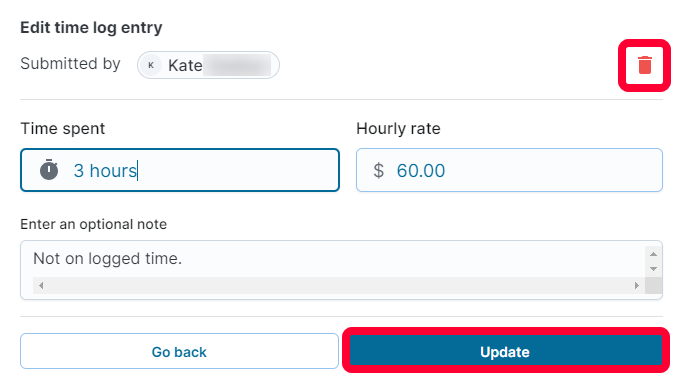
To remove the cost, click the trashcan icon in the top right. To make edits, update the desired field and click Update.
Learn More
To learn more about user time logging and costs, see the articles below: