Update Ticket Information
Last updated: October 14, 2025
Overview
Users can update tickets in the nodaFi mobile app. Depending on a user’s permissions, they may be able to perform basic actions such as updating a ticket status or they can update ticket information such as its due date.
To learn about basic actions almost every user can do, see the articles below:
- Update a Ticket Status
- Track Time on a Ticket
- Upload a File to a Ticket
- Send and View Ticket Comments
In this article, we’ll talk about updating ticket information.
Update Ticket Information
First, open the ticket you want to update. See the article Find and View a Ticket for help locating tickets.
On the View ticket page, you will see all the ticket information. Fields you can edit will have a white background and an arrow to the right, indicating you can click for options.
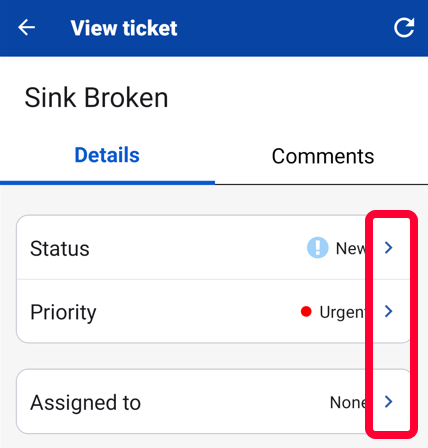
Your changes are automatically saved.